

Black Friday 2025 is here, and CapCut is rolling out one of its biggest discounts of the year.
Whether you’re a content creator, social media enthusiast, or video editing newbie, the CapCut Black Friday Deal 2025 offers an unbeatable chance to upgrade to CapCut Pro at a fraction of the cost.
With up to 20% off mobile subscriptions, you’ll gain full access to premium tools, trending effects, and a massive music library—everything you need to create stunning videos effortlessly.
This limited-time offer is only available through the CapCut app, so act fast before it ends on December 1st.
Table of Contents
- Before You Buy: What You Need To Know About CapCut Black Friday 2025
- Quick Breakdown of the CapCut 2025 Black Friday Deal
- Step-by-Step Guide: How to Get CapCut Black Friday Deal
- Is CapCut Subscription Worth It?
- How Much You Actually Save With the CapCut Black Friday Deal
- What You Really Get With CapCut Subscriptions (Benefits That Matter)
- Final Thoughts
- FAQs
Before You Buy: What You Need To Know About CapCut Black Friday 2025
Look, before you jump on any Black Friday deal, you want to know one thing: is this actually worth it, or is it just hype?
With CapCut’s 2025 Black Friday offer, the value is real, especially if you edit videos regularly or want your content to look sharper without spending hours tweaking every clip.
This year, CapCut is giving mobile users up to 20% off CapCut Pro, which unlocks every premium tool, trending effect, advanced audio features, and their full music library.
If you’ve ever felt limited by the free version, this is the one time of the year where upgrading makes sense.
And here’s who this guide is for: anyone who wants a clear, simple breakdown of what the deal is, how to claim it, whether Pro is actually worth it for your kind of content, and how to stretch every dollar you save.
Quick Breakdown of the CapCut 2025 Black Friday Deal
Here’s the thing: most people hear “20% off” and shrug because it doesn’t sound like much.
But with CapCut, that discount actually unlocks tools that change how fast and how good your videos turn out.
This Black Friday, CapCut is offering 20% off on CapCut subscriptions on mobile.
The moment you upgrade, you get unlimited access to everything — the trending effects everyone uses, the advanced editing tools that make clips look cleaner, and the entire music library, so you never have to stress about copyright.
If you create TikToks, Reels, YouTube Shorts, or even product videos for your business, these tools help you work quicker and make your content look polished without trying hard.
That’s why people wait for this sale every year.
CapCut 2025 Black Friday Deal Dates (So You Don’t Miss It)
The CapCut Black Friday 2025 offer isn’t one of those blink-and-you-miss-it deals — but the window is still limited. To make things easy, here are the exact dates to remember:
- Offer Starts: November 13
- Offer Ends: December 1
The best part? CapCut drops the deal before Black Friday even starts, meaning you get early access without competing with the chaos of other holiday sales.
If you want the discount, the safest move is to grab it sooner rather than later, especially because mobile-only deals like this sometimes see higher demand.
Mark the dates, turn on notifications, or even set a reminder in your phone. Missing the offer by a day can be incredibly frustrating, especially when it only comes once a year.
Step-by-Step Guide: How to Get CapCut Black Friday Deal
Claiming the CapCut Black Friday 2025 deal is simple, but only if you know where to look.
Here’s exactly how to access it on mobile:
Method 1: Through the Black Friday Pop-Up
- Open the CapCut app on your mobile device. Download on Google Play Store, Apple Store, or PC.
- A Black Friday pop-up will appear automatically.
- Tap “Try Now” on the pop-up.
- You’ll be redirected straight to the exclusive Black Friday offer page.
- Select your subscription plan and proceed to checkout.
This is the quickest way, and for most users, it appears instantly.
Method 2: If the Pop-Up Doesn’t Show
Sometimes the pop-up doesn’t appear, especially if you have dismissed it before. No worries, here’s the alternative:
- Open the CapCut app you have downloaded.
- Tap on “Me” at the bottom right.
- Look for the Black Friday portal in the top-left corner of your profile screen.
- Tap it to access the offer page.
This method works consistently, even if the main banner doesn’t load.
Following these steps ensures you get the 20% discount with zero hassle.

Is CapCut Subscription Worth It?
If you’re thinking about upgrading during Black Friday, here’s the real question: Is a CapCut subscription actually worth your money?
The answer depends on the type of creator you are — and how much time you spend editing.
✔ If You’re a Beginner
Yes, it’s worth it.
CapCut Pro gives you access to premium templates and effects that do most of the heavy lifting for you. If you struggle with editing or feel overwhelmed, these tools make your videos look good with almost no effort.
✔ If You Create TikTok, Reels, or YouTube Shorts
Definitely worth it.
CapCut Pro was practically built for short-form creators. The trending effects, music, auto-captions, and advanced AI tools help you create content faster and stay on trend.
✔ If You Run a Business or Brand
100% worth it.
If you make product videos, ads, or social content, CapCut Pro saves time and offers more polished visuals. Clean audio, better templates, and extra effects help your brand look more professional.
✔ If You Edit Long-Form Videos
Worth it — but only if you use CapCut regularly.
The Pro version helps you get cleaner cuts and gives you access to a larger set of editing tools, though some long-form creators prefer desktop editors for heavy work.
When CapCut Subscription Might Not Be Worth It
- You only edit videos a few times a year
- You’re happy with simple, basic edits
- You don’t use effects, templates, or music libraries
- You already use a different editor for everything
If you fall into these categories, the free version will likely cover your needs.
How Much You Actually Save With the CapCut Black Friday Deal
Here’s a clearer look at what CapCut subscriptions normally cost, and what your 20% Black Friday discount could realistically do for those prices.
What CapCut Pro Usually Costs
- Monthly Plan: Around $7.99–$9.99/month, depending on your region.
- Annual Plan: Around $74.99–$89.99/year.
- Cloud Storage Add-On (if you want more than the included): $1.99/month for extra space.
Some sources note that CapCut’s pricing varies a lot depending on device, country, or how you buy. For example:
- In some regions or through certain app stores, the monthly rate goes as high as $19.99/month.
- Annual plan renewals can also be more expensive for some users, like $119/year, based on their subscription history.
What the Black Friday 2025 Deal Means for These Prices
With the up to 20% off CapCut Pro Black Friday offer:
- On a $9.99/month plan, 20% off brings it down to about $8.00/month.
- On a $89.99/year plan, 20% off cuts it to around $72/year (which works out to ~$6/month).
These discounts make CapCut Pro much more affordable, especially if you plan to edit regularly or use Pro features long-term.
What You Really Get With CapCut Subscriptions (Benefits That Matter)
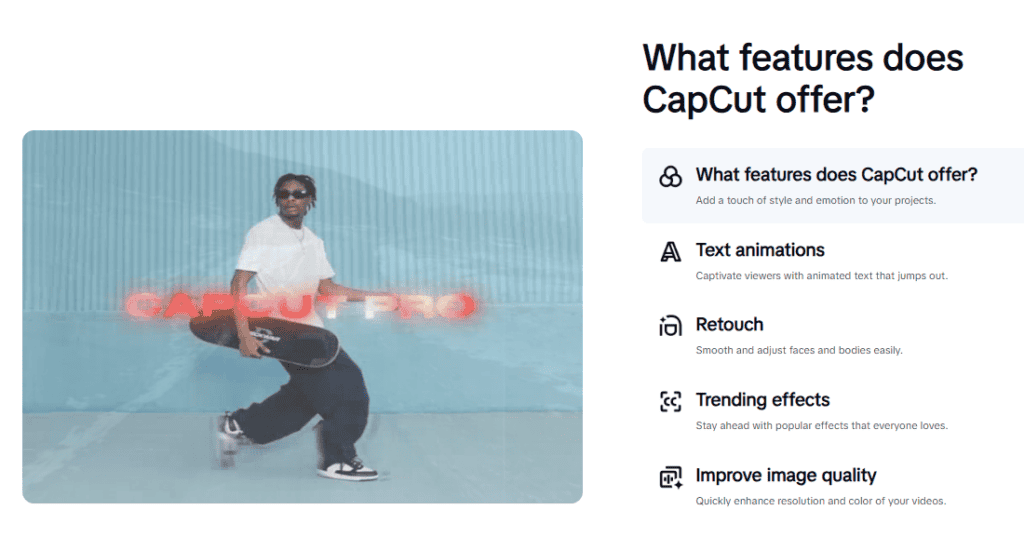
If you’re wondering what you actually gain by upgrading to a CapCut subscription, here’s the truth: it’s not just about “more features.” It’s about saving time, improving quality, and making your videos look polished without needing expert skills.
Here’s what CapCut Pro really unlocks for you:
1. Faster Editing Without the Hassle
CapCut Pro gives you access to premium templates and effects that cut your editing time dramatically. Instead of building transitions or layouts from scratch, you can apply pre-made designs that instantly improve your content.
Perfect if you want to post more often without spending hours on edits.
2. Cleaner, More Professional Visuals
From advanced filters to trending effects and high-quality transitions, Pro tools help your videos stand out. The difference in visual quality is noticeable — especially on TikTok and Instagram where eye-catching visuals matter.
3. Better Audio + Copyright-Safe Music
With CapCut Pro, you unlock the full music library, which includes more tracks, better sound quality, and audio you can safely use across platforms without worrying about copyright issues.
Great for brands, influencers, or creators who want peace of mind.
4. Templates That Save Hours of Work
Whether you’re making reels, ads, product showcases, or YouTube Shorts, Pro templates help you create high-quality content fast. Just drop your clips in and customize the style.
This is one of the biggest time-savers for both beginners and experienced creators.
5. Extra Tools That Make Your Videos Look Instantly Better
From AI-powered features to advanced editing controls, here are a few Pro tools people love:
- HD and 4K export options
- AI background remover
- Advanced curves and color grading
- Premium text effects
- Trend-specific filter packs
- Pro transitions used by viral creators
These features are designed to elevate your content with minimal effort.
Final Thoughts
If you’ve been thinking about upgrading to CapCut Pro, the Black Friday 2025 offer is the smartest time to do it.
With up to 20% off, this deal gives you full access to CapCut’s premium tools, templates, effects, and music library at the lowest price you’ll see all year.
So whether you’re a beginner, a short-form creator, or someone building a brand, the subscription pays for itself quickly by saving time and helping you create higher-quality videos.
Just remember: the offer runs from November 13 to December 1, and once it ends, prices return to normal. So if you know you’ll use the tools regularly, grabbing the deal now ensures you get the best value without waiting another year.
Whenever you’re ready to upgrade, follow the steps in this guide and you’ll be on the offer page in seconds.
FAQs
Is the CapCut subscription discounted during Black Friday 2025?
Yes. CapCut offers up to 20% off CapCut Pro subscriptions during the Black Friday period, making it the best time of the year to upgrade.
Does the Black Friday discount apply to both monthly and yearly subscriptions?
In most regions, the offer includes both plans, but the exact discount can vary depending on your app store and location.
Can existing subscribers claim the Black Friday offer?
Existing subscribers typically cannot apply the discount to an active subscription. You may be able to benefit once your current billing cycle ends.
Is the CapCut subscription automatically renewed?
Yes. Both monthly and yearly plans renew automatically unless you cancel through your app store before the next billing date.
How do I cancel my CapCut subscription after purchasing it?
You must cancel through your app store’s subscription settings (Google Play or Apple App Store). CapCut cannot cancel subscriptions directly.
If I cancel my subscription, do I lose access immediately?
No. You retain full access to CapCut Pro features until the end of your paid period, even if you cancel early.
Are subscription prices the same worldwide?
No. CapCut subscription prices vary by region, currency, app store, taxes, and local pricing policies.
Will the Black Friday subscription price stay the same when it renews?
No. The Black Friday discount applies only to the initial purchase. Renewals are charged at the standard rate unless another offer is available at that time.
Can the Black Friday offer be combined with other discounts or promo codes?
No. Black Friday pricing is already the lowest annual offer and cannot be stacked with additional coupons or discounts.
Does CapCut offer refunds on subscriptions?
Refunds are handled by the platform where you purchased the subscription (Google Play or Apple App Store). CapCut cannot process refunds directly.
Will the subscription benefits remain the same throughout the year?
Yes. Once you subscribe, you retain access to all CapCut Pro features included in your plan, even if new features are added later.
