

CapCut vs VN Editor isn’t a “features checklist” fight. It’s a workflow fight.
CapCut is built to help you finish trend-ready edits fast (templates, effects, captions). VN Editor is built for clean timeline control (trim, layer, pace, repeat).
In this guide, I’m comparing them the way creators actually use them: speed, control, captions, exports, watermark behavior, and yes, what you really get for free vs paid once you start editing regularly.
TL;DR Verdict
Pick CapCut if:
- You want templates, trending effects, and fast short-form edits
- You rely on captions/subtitle styling and want speed
- You post Reels/TikTok/Shorts often and don’t want a “manual” workflow
Pick VN Editor if:
- You prefer clean timeline control and a calmer editing experience
- You want consistent, manual edits (less template pressure)
- You edit longer videos where pacing and precision matter
Biggest difference: CapCut is trend/template-driven; VN is manual, clean timeline editing.
Best for TikTok/Reels: CapCut
Best for clean YouTube-style edits: VN Editor
Best free pick: Tie (CapCut for short-form features; VN for clean control)
Table of Contents
- CapCut vs VN Editor at a Glance
- CapCut vs VN Editor: What They’re Really Built For
- Free vs Paid: What Actually Gets Locked?
- Feature Battle: CapCut vs VN Editor (Real Editing Categories)
- Best For: Pick the App That Matches How You Edit
- Tips to Get the Most Out of Either App
- CapCut vs VN Editor FAQs
- Final Verdict: CapCut vs VN Editor
- Official Resources
CapCut vs VN Editor at a Glance
- Overall vibe: CapCut is fast + trend-ready. VN is calm + timeline-first.
- Best for short-form: CapCut (templates, effects, captions feel “social-native”).
- Best for clean manual edits: VN Editor (more control, less template pressure).
- Captions workflow: CapCut is usually faster for auto captions + styling.
- Timeline control: VN Editor feels more like a “real editor” on mobile.
- Exports: Both can export clean videos for most creators (watch asset restrictions).
- Watermark risk: CapCut can vary by template/asset; VN is commonly used watermark-free for typical edits.
- Best free pick: Tie — CapCut for short-form features, VN for clean control.
Comparing more options? This CapCut comparisons hub lays them all out.
CapCut vs VN Editor: What They’re Really Built For
Here’s the part most comparisons miss: CapCut and VN can both edit videos, but they don’t feel the same while you’re editing.
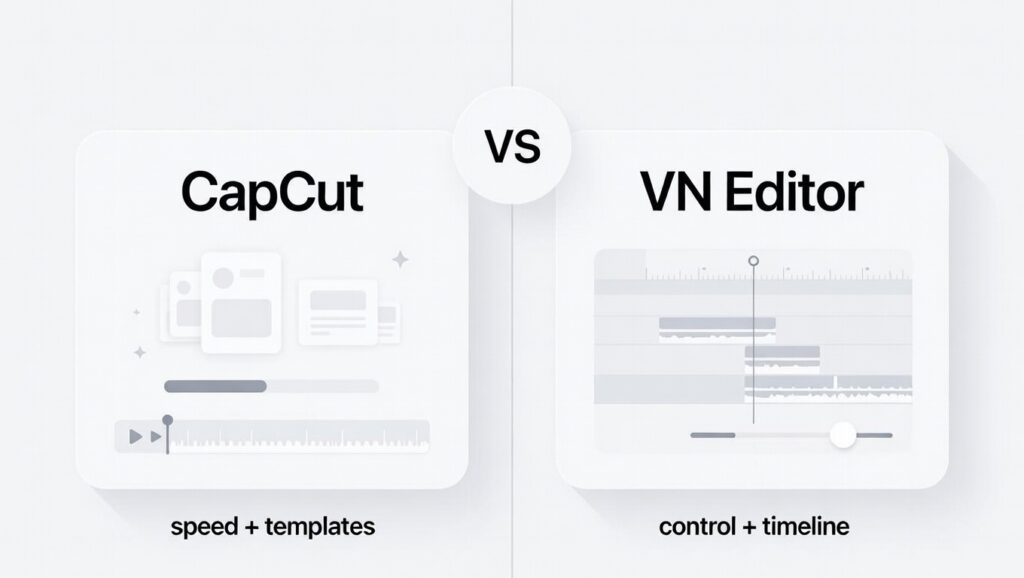
One is built to get you to a finished video fast. The other is built to give you control while you build the edit yourself.
CapCut’s “speed + templates” vibe
CapCut is like walking into a kitchen where everything is already chopped and seasoned. You can still cook, but the app is clearly trying to help you finish fast. That’s why it feels so “social-ready.” You can grab a template, swap in your clips, throw on captions, add effects, and post.
This is why CapCut usually wins for TikTok-style edits. It’s designed to match what’s trending: fast cuts, bold captions, flashy transitions, and effects that make the video look more polished even if the raw clips were basic.
If you’re a creator who edits often, this matters. The best tool isn’t always the one with the most options. It’s the one that lets you get from idea to upload without fighting the app.
VN’s “control + timeline editing” vibe
VN feels more like a clean workbench. It doesn’t try to push you into trendy templates as much. Instead, it gives you a straightforward timeline where you can trim, layer, and pace things the way you want.
If CapCut feels like “pick a style and go,” VN feels like “build the style.” That’s a big deal if you want your edits to feel consistent across videos, especially for YouTube content, tutorials, vlogs, talking-head videos, or anything where you care about timing more than flashy effects.
VN is also popular with people who don’t want their edits to look like everyone else’s. You can still make short-form content with VN, but the app leans more toward clean edits than viral templates.
Learning curve: Which Feels Easier in 10 minutes?
If you’re brand new, CapCut often feels easier at first because templates and presets do a lot of the heavy lifting. You don’t need to “know editing” to make something that looks good quickly.
VN can feel easier if you already understand the basics of cutting clips and arranging them on a timeline. It’s less noisy and less distracting. You spend more time editing and less time choosing between effects.
So the real question is: do you want an app that helps you finish faster, or an app that helps you edit cleaner? Your answer usually decides the winner before pricing even enters the chat.
Free vs Paid: What Actually Gets Locked?
Both apps say they’re “free,” but the real difference is what gets blocked mid-edit—templates, effects, export options, or certain tools.
The question isn’t “which app is free?” It’s which app stays usable for your style without paying.
CapCut Pricing (Free vs Paid)
CapCut Free is one of the most usable free plans on mobile. You can finish real edits without paying, but you’ll see Pro labels on certain tools and assets.
What CapCut Free usually includes:
- Basic editing: trim, split, speed, filters, transitions
- Captions/subtitles (some styles may be locked)
- Lots of templates/effects (premium ones show “Pro”)
- Exports that are often watermark-free (depends on the template/asset)
CapCut typically pushes upgrades when you tap premium templates, effects, fonts, stock assets, and newer AI-style tools.
CapCut paid pricing (commonly published rates):
- CapCut Pro: $19.99/month or $179.99/year
- CapCut Teams: starts around $24.99/month (collaboration-focused)
Important: Prices can change by country, platform (iOS/Android/web/desktop), taxes, and promos. The only price that matters is what you see at checkout.
Note: CapCut also has other options (like a Standard/mobile-focused plan and a Teams plan). Full details: CapCut pricing guide.
VN Editor pricing (Free vs Paid)
VN is popular because the free version stays usable for clean timeline editing, and many creators use it without upgrading.
What VN Free usually includes:
- Multi-layer timeline editing
- Basic transitions, text, and effects
- High-quality exports for most projects
- A clean interface with fewer distractions
VN upgrades typically show up as optional add-ons (extra packs/tools), and pricing can vary a lot by device and region.
Pricing note: VN pricing can look different depending on your country and whether you’re on iOS or Android. Always double-check inside the app or your app store checkout screen.
Which feels worth paying for?
If you never pay, both apps can work.
CapCut usually feels more feature-packed for short-form because it leans into templates, effects, and captions.
VN often feels cheaper long-term if your edits are clean and manual—because you’re less dependent on premium assets.
Feature Battle: CapCut vs VN Editor (Real Editing Categories)
Instead of listing every button, this section focuses on the moments where one app actually feels better while you edit.
Templates and trending effects
This is CapCut’s home turf.
- CapCut: Packed with templates, trending effects, text animations, and transitions. You can pick a style, swap clips, and post fast.
- VN Editor: Less template-first. Fewer flashy presets, but more freedom to build edits from scratch.
Winner: CapCut (especially for trend-driven short-form).
Manual editing control and timeline workflow
This is where VN starts to shine.
- CapCut: You still get control, but the app nudges you toward presets and speed.
- VN Editor: Cleaner, calmer timeline. Trimming, layering, and pacing feel more intentional.
Winner: VN Editor (for creators who care about precision).
Captions and text styling
- CapCut: Faster auto captions and more “social-style” subtitle looks. Great if captions are part of your normal workflow.
- VN Editor: Solid text tools, but typically more manual and less built around caption-heavy short-form.
Winner: CapCut (for speed + caption styling).
Color and visual consistency
If you want your videos to look consistent across uploads, this matters more than people think.
- CapCut: Easy to apply looks quickly, but many stronger styles/filters can be behind paid assets.
- VN Editor: Better suited for subtle adjustments and repeatable “clean” visuals without relying on heavy filters.
Winner: VN Editor (for clean, consistent visuals).
Export quality
- CapCut: Exports look great for social. Just watch for restrictions tied to premium assets/templates.
- VN Editor: Known for clean exports and a straightforward export flow for most projects.
Winner: Tie (both can export clean videos for most creators).
Watermark (what to expect)
- CapCut: Many exports are clean, but watermark issues can show up depending on the template/asset you used.
- VN Editor: Commonly used watermark-free for most workflows, especially on the free version.
Winner: VN Editor (less watermark stress in typical use).
Editing speed and focus
- CapCut: Faster when you want the app to do more for you (templates + automation).
- VN Editor: Often feels smoother when you want to edit step-by-step without distractions.
Winner: CapCut for speed, VN for focus.
Best For: Pick the App That Matches How You Edit
Most people don’t pick the wrong app because it’s “bad.” They pick the wrong app because it doesn’t match how they actually edit.
Best for TikTok, Reels, and Shorts
CapCut is usually the easier choice for short-form because it’s built around speed: templates, effects, and captions that look social-ready fast.
VN Editor can still do short-form, but it’s more manual. If you want clean edits and consistent style (not trends), VN can be a better fit.
Best for YouTube videos (and longer edits)
VN Editor often feels better for YouTube-style content: the timeline is calmer, pacing is easier to manage, and you’re not constantly pushed toward flashy effects.
CapCut can handle YouTube basics too, but it shines most when the edit is fast and visual.
Best for beginners
CapCut usually feels easier in the first 10 minutes because templates and presets do a lot of the heavy lifting.
VN Editor can feel easier if you already like simple timeline editing and want fewer distractions.
Best for creators who want control
If you like deciding exactly how every cut, clip, and transition works, VN Editor is the better fit. It’s less “noisy” and more about the edit itself.
Best for speed and volume
If you post often and need to turn ideas into finished videos fast, CapCut usually saves time because it removes steps.
Quick takeaway: CapCut wins when speed, trends, captions, and visual punch matter most. VN wins when control, cleanliness, and consistency matter more.
Common Scenarios (Quick Picks)
Pick the line that sounds like you. The winner is on the right.
Tips to Get the Most Out of Either App
A fast workflow for CapCut
Start with a template only to get structure, then customize it. Swap clips, adjust captions, and remove anything that feels overdone. This keeps your edits fast without looking copy-pasted.
A clean workflow for VN Editor
Build your edit in layers. Cut clips first, fix pacing, then add text and effects last. VN rewards patience and clean structure.
Export test checklist
- Export one short test clip before finishing the full video
- Upload it privately and watch it on your phone
- Check sharpness, sound balance, and pacing
This small step prevents surprises after posting.
CapCut vs VN Editor FAQs
Which is better, VN Editor or CapCut?
CapCut is usually better for fast short-form edits because it has templates, trending effects, auto captions, and social-style tools. VN Editor is usually better if you want a calmer timeline, more manual control, and cleaner edits that do not feel template-driven.
Is VN Editor as good as CapCut?
Yes, but in a different way. VN Editor is strong for clean timeline editing, pacing, layering, and manual control. CapCut is stronger for trend-ready edits, captions, templates, and fast TikTok, Reels, or Shorts workflows.
Is VN Editor free or paid?
VN Editor is very usable for free, and many creators use it without upgrading. Paid options may appear depending on your device, country, app store, and version. If you see paid tools or packs, your checkout screen is the final source for pricing.
What are the disadvantages of CapCut?
CapCut can feel busy because it pushes templates, trends, effects, and Pro assets. Some popular tools, fonts, templates, or effects may be locked behind Pro, and watermark or export restrictions can depend on the specific asset you used.
What are the disadvantages of VN Editor?
VN Editor is less trend-focused than CapCut, so it does not feel as fast for templates, flashy effects, and auto-caption-heavy short-form videos. It gives you more manual control, but you may need to build more of the edit yourself.
Which is better for captions, CapCut or VN Editor?
CapCut is usually better for captions because its auto-caption workflow and subtitle styling are faster for TikTok, Reels, and Shorts. VN Editor can handle text and captions, but it usually feels more manual and slower for caption-heavy videos.
Can VN Editor be used for professional editing?
VN Editor can work for simple professional needs like social content, quick client edits, and clean mobile videos. For heavy client timelines, advanced audio, color grading, team workflows, or serious finishing, most editors move to desktop tools.
Which app is better for beginners, CapCut or VN Editor?
CapCut is usually easier for beginners who want quick results with templates, effects, and captions. VN Editor is better for beginners who want to learn cleaner timeline editing and prefer a calmer, more manual editing experience.
Final Verdict: CapCut vs VN Editor
Choose CapCut if your priority is fast, trend-ready content. It’s built to help you finish edits quickly, especially for short-form platforms.
Choose VN Editor if you want cleaner control and a calmer editing experience. It’s better suited for longer videos and creators who care about precision.
The safest choice for most people: start free. Test both apps with the same clips. Upgrade only when one of them clearly removes friction from your workflow.
