

CapCut vs InShot vs VN isn’t really about which editor is “best.” It’s about which one stays useful when you don’t pay, and which upgrade actually makes sense when you do.
If you’re comparing capcut vs inshot vs vn, you’re probably trying to avoid two annoying problems: getting halfway through an edit and hitting a locked feature, or paying for tools you’ll barely touch.
This guide makes it simple. You’ll see what each app is built for, what you can do for free, what gets blocked behind paid plans, and which editor matches your style—whether you’re making TikToks, Reels, Shorts, or longer YouTube videos.
Table of Contents
- TL;DR Verdict (Quick Picks)
- What Each App Is Really Built For
- Free vs Paid: What You Actually Get (No Fluff)
- Real-World Comparison: How It Feels While Editing
- Comparison Table (Fast Scan)
- Best For: Pick the App That Matches How You Edit
- When You Should Actually Pay (And When You Shouldn’t)
- 15-Minute Same-Clip Test (The Fastest Way to Decide)
- FAQs
- Final Verdict
- Related CapCut Comparisons
- Official Resources
TL;DR Verdict (Quick Picks)
If you’re choosing between CapCut vs InShot vs VN, here’s the fastest way to decide:
- CapCut = speed, trends, templates, and auto-captions
- InShot = simple, clean edits with minimal effort
- VN = control, precision, and a calm timeline workflow
All three can work for free. The “best” one depends on whether you value speed, simplicity, or control.
Choose CapCut if:
- You want fast, trend-ready edits
- You like templates, effects, and auto-captions
- You post short-form often and speed matters most
Choose InShot if:
- You want simple, clean social edits
- You trim, add music/text, and post without friction
- You don’t care about flashy templates or heavy effects
Choose VN if:
- You want cleaner control and consistency
- You prefer manual editing over templates
- You edit longer videos or care about pacing and precision
Quick takeaway: CapCut wins for trends and speed, InShot wins for simplicity, and VN wins for control.
See more comparisons here: CapCut vs other editors.
What Each App Is Really Built For
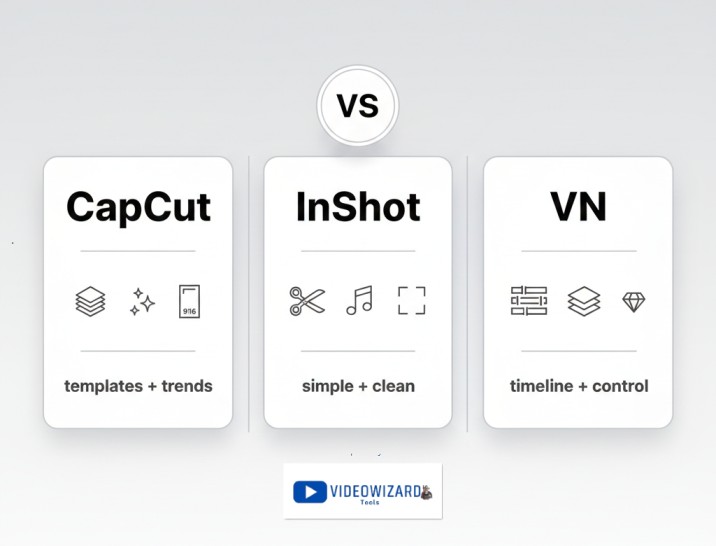
CapCut, InShot, and VN can all edit videos, but they feel very different once you start working. One pushes speed and trends. One keeps things simple. One gives you control.
CapCut: Speed + Trend-Ready Editing
CapCut is built to help you finish edits fast. Templates, effects, auto-captions, and presets do most of the heavy lifting, so you can turn raw clips into social-ready videos quickly.
That’s why it dominates short-form. It’s designed around what’s already performing: fast cuts, bold captions, flashy transitions, and effects that make basic footage look polished.
InShot: Simple + Reliable Everyday Editor
InShot is the no-stress option. It focuses on the basics: trimming clips, resizing for social platforms, adding music or text, and exporting clean videos without overthinking the process.
If CapCut feels busy and VN feels too manual, InShot sits in the middle. It’s great when you just want to edit, export, and move on.
VN: Control + Clean Timeline Workflow
VN is built for creators who like editing from scratch. Instead of pushing templates, it gives you a clean timeline where you control pacing, layers, and structure.
VN works especially well for longer videos, tutorials, talking-head content, and creators who want consistent, intentional edits rather than trend-driven styles.
Free vs Paid: What You Actually Get (No Fluff)
This is where most people get stuck. All three apps say they’re “free,” but the experience changes once you start editing regularly or relying on specific tools.
The real question in CapCut vs InShot vs VN isn’t “which app is free?” It’s what gets blocked when I’m halfway through an edit?
CapCut Free vs Pro
CapCut’s free plan is extremely generous, especially for short-form content.
- Full video editing and exports
- Many templates, effects, and transitions
- Auto-captions and text tools (some styles may be locked)
- Watermark-free exports unless you use Pro assets
You’ll feel the paywall when you rely on premium templates, advanced effects, fonts, stock assets, or newer AI-style tools. Pro labels are the friction point.
InShot Free vs Pro
InShot’s free version is usable, but its limits are more obvious.
- Basic trimming, music, text, and effects
- Easy resizing for social platforms
- Watermark on exports unless you upgrade
InShot Pro mainly removes watermarks and unlocks premium effects, fonts, transitions, and stickers. It’s less about speed and more about clean, unrestricted exports.
VN Free vs Paid
VN is known for being very usable without paying.
- Full timeline editing with multiple layers
- Clean, high-quality exports
- No heavy push toward subscriptions
VN’s paid features usually show up as optional add-ons or packs. Most people only upgrade if one specific tool is blocking their workflow.
Quick takeaway: CapCut’s paywall shows up through premium assets, InShot’s through watermarks, and VN’s through optional extras. The best free plan depends on how you edit.
Real-World Comparison: How It Feels While Editing
Specs and feature lists don’t tell the full story. What actually matters is how each app feels when you’re editing under real conditions—on your phone, with limited time, and a video you just want to finish.
1) Templates & trending effects
CapCut clearly leads here. Templates, trending effects, animated text, and presets are baked into the workflow.
InShot keeps things basic. You’ll get simple effects and transitions, but not trend-driven templates.
VN barely pushes templates at all. You build everything manually.
Winner: CapCut
2) Timeline control & precision editing
VN feels the most like a traditional editor. Trimming, layering, and pacing are clean and intentional.
CapCut offers control, but it’s optimized for speed, not deep precision.
InShot is fine for simple cuts, but it’s not built for complex timelines.
Winner: VN
3) Simple social edits (trim, resize, add music, post)
InShot shines when you want fast, no-thinking edits. Trim a clip, resize it for Instagram or TikTok, add music, and export.
CapCut can do this too, but it often feels heavier than necessary for basic jobs.
VN works, but it’s slower for quick social edits.
Winner: InShot
4) Captions & text styles
CapCut is the strongest option for captions. Auto-captions, styled text, and social-ready subtitle looks are a big part of its appeal.
InShot supports text and captions, but it’s more manual and simpler.
VN also relies on manual text placement and styling.
Winner: CapCut
5) Export quality & post-upload clarity
All three apps can export clean videos, but final quality depends on bitrate, resolution, and how platforms compress uploads.
CapCut and VN tend to hold up well if you choose solid settings.
InShot is reliable for social platforms, but less flexible for advanced export tweaks.
Winner: Tie (test with the same clip)
6) Audio control (music vs voice)
CapCut is great for music-driven edits and beat syncing.
VN is better for voice clarity and precise audio timing.
InShot keeps audio simple and fast.
Winner: Depends (music-first vs voice-first)
Comparison Table (Fast Scan)
If you don’t want to read every detail, this table gives you a quick side-by-side of CapCut vs InShot vs VN based on how creators actually use them.
| Category | CapCut | InShot | VN |
|---|---|---|---|
| Best for | Trend-driven short-form content | Simple social edits | Clean, controlled editing |
| Templates & trends | Very strong | Limited | Minimal |
| Captions | Auto + styled captions | Basic manual text | Manual text control |
| Timeline control | Good (speed-first) | Basic | Very strong |
| Ease for beginners | Easy with templates | Very easy | Easy if you like timelines |
| Watermark on free | Usually no (unless Pro assets) | Yes | Typically no |
| Best free value | Strong for trends | Okay for basics | Strong for clean edits |
| Best paid value | Daily creators using Pro assets | Watermark-free branding | Specific add-ons only |
Best For: Pick the App That Matches How You Edit
Best for TikTok, Reels, and Shorts
If your content is mostly short-form, CapCut is usually the easiest win. It’s built around trends, captions, fast pacing, and effects that match what performs well on TikTok and Reels.
InShot also works for short-form if you prefer clean, simple edits without templates. VN can do short-form too, but it’s more manual.
Best for YouTube (longer videos)
For longer YouTube videos—tutorials, talking-head content, vlogs, reviews—VN often feels best. The timeline is calmer, pacing is easier to control, and your edits stay consistent without relying on trendy effects.
CapCut can handle YouTube, but it shines more when edits are short and punchy. InShot is best for basic YouTube edits, not complex timelines.
Best for beginners
If you want the easiest learning curve, InShot is the simplest. It’s straightforward and doesn’t overwhelm you with options.
If you want “good results fast” without learning much, CapCut is beginner-friendly too—especially if templates and auto tools match your style.
If you’re comfortable learning timeline editing early, VN is a great beginner pick for building real editing skills.
Best for business promo videos
If you want clean, controlled, consistent visuals, VN is a strong fit.
If your promo needs to grab attention in a feed fast, CapCut is better for bold captions, quick cuts, and trend-style energy.
If you want quick promos with minimal effort, InShot is the fastest “trim, text, music, export” option.
Quick takeaway: CapCut wins for trend-driven speed, InShot wins for simple social edits, and VN wins for clean control—pick the one that makes your workflow feel easiest.
When You Should Actually Pay (And When You Shouldn’t)
Paying for a video editor only makes sense when the free version starts slowing you down. If you can still finish videos without friction, upgrading early usually isn’t worth it.
Pay for CapCut if…
- You rely on premium templates, effects, or caption styles almost every edit
- You post short-form content frequently, and speed matters more than control
- You keep hitting Pro-only tools that would save you time
If CapCut is already doing most of the work for you, the paid plan can feel like removing constant small roadblocks.
Pay for InShot if…
- You want clean, watermark-free exports
- You like InShot’s simple workflow and just want fewer limits
- You use premium effects, fonts, or transitions consistently
InShot Pro makes sense when you want simplicity without branding or restrictions.
Pay for VN if…
- You like VN’s clean timeline and manual control
- You only need one or two advanced tools or effect packs
- You don’t want a heavy subscription for features you won’t use
VN works best when upgrades are optional add-ons, not mandatory payments.
Don’t pay yet if…
- You’re editing casually or posting infrequently
- Your videos look fine without premium templates or effects
- You’re not hitting locked features mid-edit
- You’re still figuring out your editing style
Simple rule: if you hit a paywall once in a while, stay free. If you hit it every edit, upgrading will probably save you time.
15-Minute Same-Clip Test (The Fastest Way to Decide)
If you’re still stuck choosing between CapCut vs InShot vs VN, stop comparing features and do this instead.
- Take the same 3–5 clips
- Edit the same video in all three apps
- Add a hook, captions or text, music, and a clean ending
- Limit yourself to 15 minutes per app
Don’t aim for perfection. Aim to feel “done.”
The winner isn’t the app with the most tools. It’s the one that lets you finish the edit with the least friction and second-guessing.
If one app keeps slowing you down, pushing paywalls, or making simple steps feel annoying, that’s your answer.
FAQs
Final Verdict
If you want one clear answer, here it is:
CapCut is best for speed, trends, templates, and captions.
InShot is best for simple, clean social edits with minimal effort.
VN is best for control, precision, and consistent edits.
The smartest move is to start free. Test the same clips in all three apps. Upgrade only when one of them clearly saves you time or removes friction from your workflow.
The right editor isn’t the one with the longest feature list. It’s the one that helps you finish videos faster and keeps you creating.
Related CapCut Comparisons
-
CapCut vs Premiere Pro
Short-form speed vs pro timeline control -
CapCut vs After Effects
Quick edits vs motion graphics and VFX -
CapCut vs DaVinci Resolve
Templates vs pro color grading + finishing -
CapCut vs Filmora
Easy desktop editing vs CapCut’s template workflow -
CapCut vs InShot
Two fast mobile editors for Reels/TikTok -
CapCut vs Canva (Video)
Video editing vs design-first templates -
CapCut vs KineMaster
Templates vs timeline-style mobile editing -
CapCut vs iMovie
CapCut templates vs simple Apple editing -
CapCut vs VN Editor
Trendy effects vs cleaner manual control -
CapCut vs Premiere Rush
CapCut speed vs simple Adobe workflow -
CapCut vs Canva vs InShot
Templates vs design vs quick mobile edits
Official Resources
- CapCut: Standard vs Pro (Official Guide)
- CapCut: Official Site
- CapCut on the App Store (Official Listing)
- CapCut on Google Play (Official Listing)
- InShot: Official Site
- InShot on the App Store (Official Listing)
- InShot on Google Play (Official Listing)
- VN Video Editor (VlogNow): Official Site
- VN on the App Store (Official Listing)
- VN on Google Play (Official Listing)
