
Best CapCut Templates For Edits (Top Picks For TikTok, Reels, Shorts)

Are your edits looking decent… but not getting the views you expected?
The difference is usually not your clips. It’s the template.
The best CapCut templates for edits are built to control pacing, hit music drops perfectly, and keep people watching past the first few seconds.
And in short-form content, those seconds decide everything. A strong structure can turn average footage into something that feels sharp, smooth, and scroll-stopping.
The good news is you do not need advanced editing skills to pull this off. You just need the right template for your style.
Let’s look at the ones that actually work.
If you want a complete breakdown of how to choose the right templates across platforms, check out our CapCut templates for social media guide .
15 Best CapCut Templates For Edits (By Style + What They’re Best For)
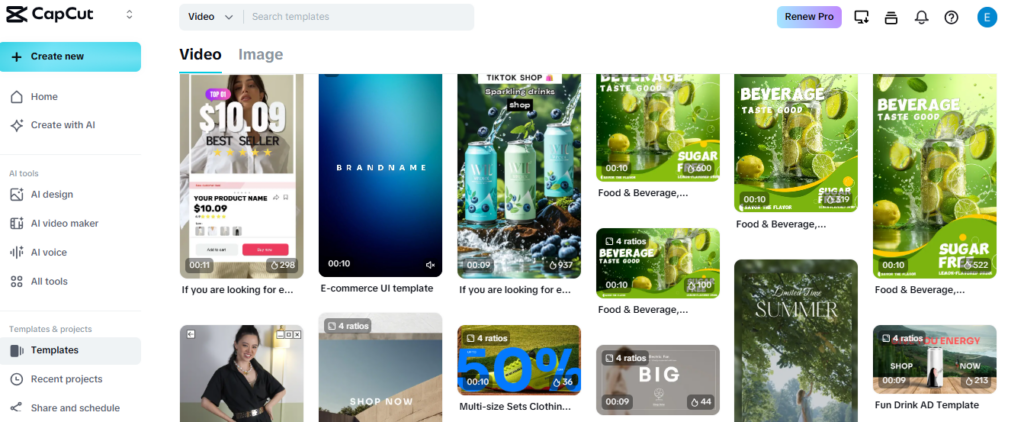
If you want edits that look clean, sharp, and intentional, these are the best CapCut templates for edits because they control pacing, hit drops properly, and keep the structure tight.
1) Beat Sync (Beat Drop) Templates
Best for: glow-ups, transformations, highlight edits
Why it works: timing hits the music drop and boosts replay value.
2) Clean Motion Blur Transition Templates
Best for: lifestyle edits, couple edits, car clips
Why it works: looks polished without looking chaotic.
3) Cinematic Slow Zoom Templates
Best for: storytelling, personal brand, aesthetic reels
Why it works: controlled movement makes clips feel premium.
4) Fast Cut Hype Templates
Best for: gym edits, high-energy clips, hype montages
Why it works: grabs attention in the first 2 seconds.
5) Flash + Glow Reveal Templates
Best for: big reveals, outfit switches, glow-ups
Why it works: instant impact, especially on the drop.
6) Velocity / Speed Ramp Templates
Best for: cars, sports, action content
Why it works: adds movement even if the footage is basic.
7) Anime Sync Templates
Best for: anime edits and dramatic scenes
Why it works: sharp timing amplifies impact moments.
8) Gaming Highlight Templates
Best for: clutch plays and fast action
Why it works: quick cuts keep attention locked in.
9) Text Hook Templates
Best for: POV, storytelling, motivation edits
Why it works: a strong opening line stops the scroll.
10) Minimal Clean Templates
Best for: tips, tutorials, creator brand content
Why it works: keeps the message clear and professional.
11) Photo-to-Video Recap Templates
Best for: birthdays, memories, event recaps
Why it works: adds motion and rhythm to photos.
12) Photo Dump “Life Lately” Templates
Best for: casual edits, friend groups, lifestyle recaps
Why it works: structured pacing makes random photos feel intentional.
13) Soft Aesthetic Templates
Best for: calm edits, relationship moments, soft vibes
Why it works: gentle pacing helps viewers connect.
14) Dark Mood / Villain Arc Templates
Best for: dramatic edits, confidence, motivation
Why it works: familiar format + emotional build keeps people watching.
15) Trending Format Templates
Best for: short bursts of reach when a format is spreading
Why it works: viewers recognize the structure and rewatch.
Best CapCut Templates For Edits By Edit Type
| Car/action | Best template style | Why it works |
|---|---|---|
| Glow-up/transformation | Beat Sync / Flash Reveal | Strong payoff on the beat drop |
| Lifestyle / couple | Clean Transitions / Soft Aesthetic | Looks polished without noise |
| Car / action | Velocity / Speed Ramp | Adds motion and intensity |
| Anime/ gaming | Anime Sync / Gaming Highlight | Fast pacing fits action scenes |
| Motivation / POV | Text Hook / Cinematic | Retention stays high through story |
Best Template Styles For Different Edit Types
Not every edit needs the same energy. The best CapCut template for edits depends on what you’re creating. When the style matches the content, the final result feels natural instead of forced.
Anime Edits
Anime edits usually rely on dramatic moments and strong beat drops. Templates with sharp transitions, flashes, and motion blur work well here. Look for aggressive beat sync styles that amplify impact scenes instead of soft cinematic pacing.
Couple Edits
Couple edits perform better with balanced pacing. Smooth transitions, light glow effects, and emotional music sync create a clean and meaningful vibe. Overloading effects can distract from the moment, so subtle motion often works best.
Car Edits
Car edits need speed and intensity. Fast cuts, zoom transitions, and bass-synced shakes give the footage energy. Templates built around strong drops and quick movement help emphasize power and style.
Motivational Edits
Motivational edits benefit from controlled pacing and readable text overlays. Cinematic templates with smooth zoom-ins and timed captions keep the focus on the message while still feeling dynamic. Clean structure matters more than heavy effects in this category.
When you choose a CapCut edit template based on the type of content, your video feels intentional. The structure supports the story instead of competing with it.
How To Choose A Template That Doesn’t Look Cheap
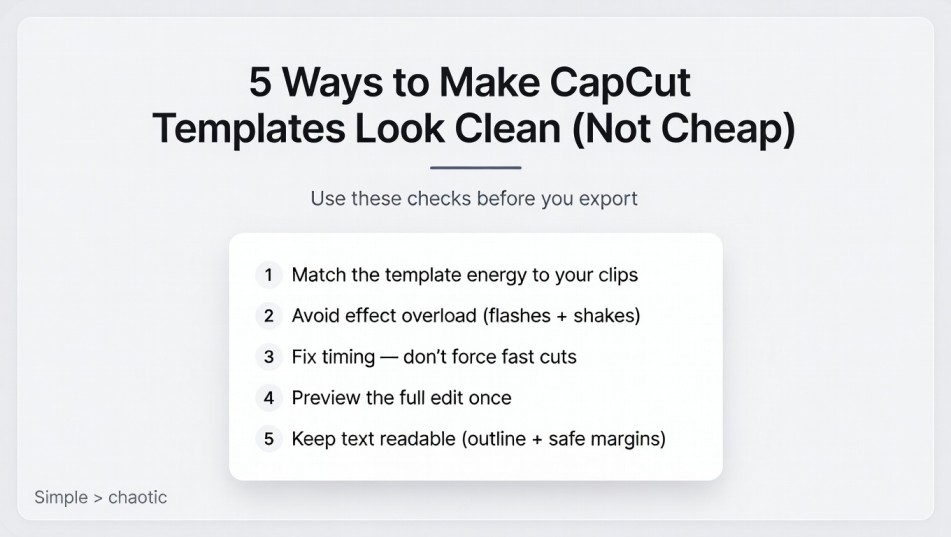
A lot of edits fail for one simple reason. The template is doing too much.
Just because a CapCut template has heavy flashes, shakes, and layered effects does not mean it will look good. In many cases, simpler templates perform better because they let the footage stand out.
First, match the energy of the template to your clips. If your footage is calm and steady, avoid aggressive beat drop styles. If your clips are high energy, do not use slow cinematic pacing. When energy levels clash, the edit feels awkward.
Second, watch for effect overload. Too many flashes, transitions, and color shifts can make your edit look messy. Clean transitions and controlled motion usually look more professional than constant visual noise.
Third, check timing. If the template forces your clips to cut too fast or stretch too long, it will feel unnatural. The best CapCut templates for edits make your content flow, not fight against it.
Finally, preview before exporting. Watch the entire edit once without skipping. If anything feels distracting or rushed, change the template or swap clips. A polished result always looks better than forcing a trend to fit.
A good template should enhance your content quietly. If the effects are the only thing people notice, it is probably too much.
How To Use A Template For Edits
Using a CapCut template for edits is simple, but small adjustments make a big difference in how clean the final result looks.
Start by choosing a template that matches your edit type. If you are making a beat drop edit, select a strong beat sync template. If you are doing a cinematic or motivational edit, go with smoother pacing.
After tapping “Use Template,” upload your clips in the correct order. Pay attention to which clip lands on the music drop. That moment should be your strongest visual. A powerful scene placed at the right beat instantly improves the edit.
Once your clips are inserted, preview the full video. Check for awkward cuts, mismatched timing, or sections that feel rushed. If something feels off, replace the clip instead of forcing it to work.
Before exporting, choose the highest resolution available. High-quality footage combined with a clean CapCut edit template will always look more professional on TikTok, Reels, and Shorts.
Templates save time, but the real difference comes from how well you match your clips to the structure. When timing and energy align, the edit feels intentional and smooth.
How To Find Trending CapCut Templates (Without Chasing Random Names)
Template names change fast. Formats don’t. The fastest way to stay current is to search by style and structure, not by one exact template name.
Best search terms to use inside CapCut
- beat sync/beat drop
- velocity/speed ramp
- flash/glow
- cinematic/slow zoom
- photo dump/recap/life lately
- POV/story / motivational
How to tell it’s a real trend
If you keep seeing the same edit structure on different accounts within a few days, it’s spreading. If every version looks identical, it’s already saturated.
Use one trending format, then rotate back to your evergreen favorites. That balance keeps you fresh without relying on trends to survive.
Common Mistakes
Even the best CapCut templates for edits can fall flat if they’re used the wrong way. Most issues come down to simple mistakes that are easy to fix.
One common mistake is choosing a template just because it’s trending. A viral template might look great on someone else’s video, but if it doesn’t match your clips or style, the result feels forced.
Another mistake is overloading the edit. Too many aggressive effects, flashes, and shakes can make your video look messy instead of clean. Strong edits usually have one main impact moment, not constant chaos.
Poor clip selection is also a big problem. If your strongest scene doesn’t land on the beat drop, you lose the emotional payoff. Always place your most impressive clip where the music hits hardest.
Low-quality source footage can also hurt the final result. Even the best CapCut edit template cannot fix blurry or poorly lit clips. Start with the best footage you have.
Avoiding these mistakes makes a noticeable difference. When the template supports strong clips and clean timing, the edit feels sharp and professional.
Want to go beyond just picking templates? Check out our complete guide to CapCut templates for social media to learn how to choose the right formats for TikTok, Reels, and Shorts, balance trending and evergreen styles, and consistently create edits that actually get views.
Final Picks
If you want the best CapCut templates for edits, focus on balance.
Beat sync templates are strong for high-energy transformations and hype content. Clean transition templates work well for lifestyle and car edits. Cinematic templates are ideal for storytelling and motivational videos. Photo-to-video templates are perfect when you are working with images instead of clips.
The key is matching the template to your content type and energy level. When pacing, music, and visuals align, the edit feels smooth instead of forced.
Do not chase every trend. Test a few solid template styles, refine your clip selection, and stay consistent. A clean, well-structured edit will always outperform a chaotic one.
When used correctly, CapCut templates give you structure, speed, and a professional finish without requiring advanced editing skills.
