

CapCut and TikTok are connected in a lot of people’s minds, so it is easy to wonder if you need TikTok before you can use CapCut properly.
Maybe CapCut is asking you to sign in. Maybe a template opened from TikTok. Or maybe you just want to edit videos for Instagram, YouTube, clients, school, or personal use without touching TikTok at all.
That confusion makes sense because CapCut and TikTok work closely together, especially around templates, sounds, trends, and sharing.
But they are still different apps, and the answer depends on what you want to do inside CapCut.
Table of Contents
- Can You Use CapCut Without TikTok?
- Do You Need a TikTok Account for CapCut?
- What Can You Do in CapCut Without TikTok?
- What CapCut Features May Need TikTok?
- Can You Sign Into CapCut Without TikTok?
- Can You Use CapCut Templates Without TikTok?
- Can You Export CapCut Videos Without TikTok?
- Can You Use CapCut Sounds Without TikTok?
- Can You Use CapCut for Instagram or YouTube Without TikTok?
- What Happens If You Disconnect TikTok From CapCut?
- Should You Link TikTok to CapCut?
- Quick Checklist: Using CapCut Without TikTok
- Frequently Asked Questions
- Final Thoughts
- Official Sources
Can You Use CapCut Without TikTok?
Yes, you can use CapCut without TikTok.
You do not need a TikTok account just to edit videos in CapCut. In many cases, you can import clips, trim videos, add text, use effects, add audio, and export the finished video without connecting TikTok.
If CapCut asks you to sign in, TikTok is usually one of the options. CapCut’s sign-in page shows other login options too, including Google, TikTok, Facebook, CapCut Mobile, and email-based sign-in.
CapCut’s help pages also mention account creation with Google, TikTok, Facebook, QR code, and email, depending on the platform.
Remember: You can use CapCut without TikTok for normal editing. TikTok mainly matters for TikTok login, TikTok-linked templates, direct sharing, trend workflows, and accounts originally created with TikTok.
If you first signed into CapCut with TikTok, use that same login method later. Otherwise, you may open a different CapCut account and think your projects, Pro access, or settings disappeared.
Do You Need a TikTok Account for CapCut?
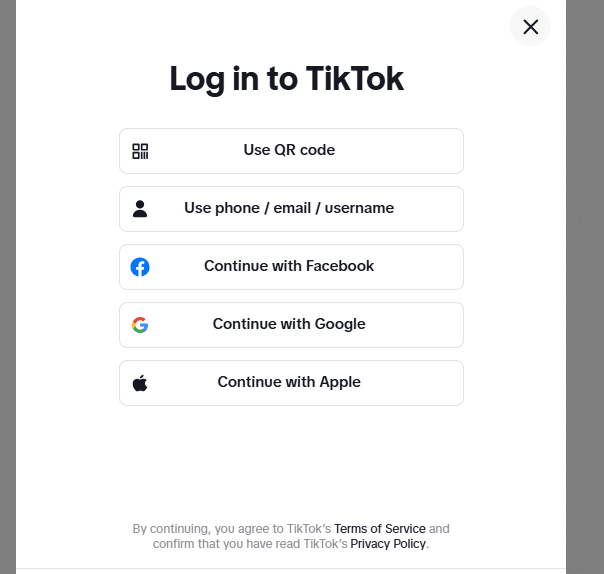
No, you do not always need a TikTok account for CapCut.
A TikTok account can be helpful if you make TikTok videos often, use TikTok-linked templates, or want a smoother path from editing to posting. But it is not required for every CapCut user.
If you only want to edit videos for Instagram, YouTube, Facebook, WhatsApp, clients, school, or personal use, you can usually use CapCut without touching TikTok at all.
You may not need a TikTok Account if you:
- Edit videos for Instagram Reels
- Make YouTube Shorts or YouTube videos
- Create videos for clients or business pages
- Export videos to your phone or computer
- Use basic editing tools
- Sign in with Google, email, Apple ID, Facebook, or another available method
If your main platform is YouTube, learning how to use CapCut for YouTube may be more useful than building your setup around TikTok.
What Can You Do in CapCut Without TikTok?
You can do a lot in CapCut without TikTok.
For normal editing, TikTok does not have to be the center of your workflow. CapCut can still work as a standalone editor for everyday projects.
For basic editing, TikTok is not required.
Common things you can usually do without TikTok
- Create a new video project
- Import videos and photos
- Trim, split, and rearrange clips
- Add text, captions, filters, and effects
- Add music, voiceovers, or audio from your device
- Export videos to your gallery or folder
- Edit videos for Instagram, YouTube, Facebook, WhatsApp, or other platforms
If you are using CapCut without any account at all, your options may be more limited. To understand that difference, compare what changes when you use CapCut without an account.
What CapCut Features May Need TikTok?
Some CapCut features may work better with TikTok, especially if your workflow is built around TikTok trends, sounds, templates, and direct sharing.
TikTok is not always required, but it can make certain actions easier if you create TikTok content often.
TikTok may be need for:
- Signing into the same CapCut account you created with TikTok
- Opening TikTok-linked CapCut templates
- Using some trend-based editing workflows
- Sharing directly from CapCut to TikTok
- Keeping TikTok and CapCut connected for faster posting
If you mainly make TikTok videos, learning how to use CapCut for TikTok can help you build a cleaner workflow between both apps.
Can You Sign Into CapCut Without TikTok?
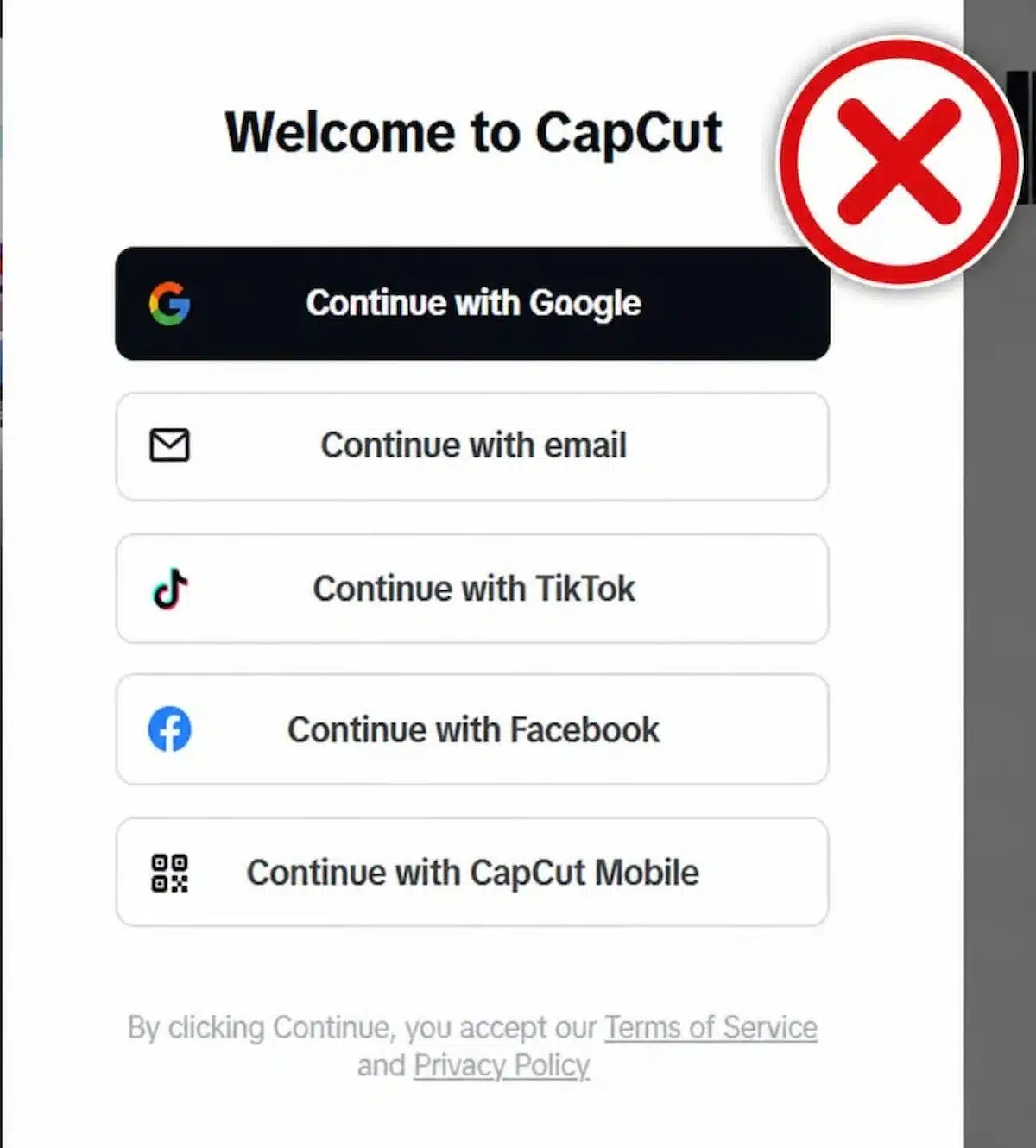
Yes, you can sign into CapCut without TikTok.
CapCut supports different login methods depending on your device and platform. You may see options like Google, email, Facebook, Apple ID on iPhone, QR code, phone number in some regions, or CapCut mobile login.
The important part is not just which login method you choose. It is using the same login method every time.
Different login methods can sometimes open different CapCut accounts, even if they seem connected to the same person. That is where people get confused.
If you created your CapCut account with TikTok, then later sign in with Google or email, you may not see the same projects, Pro access, cloud files, or account settings.
That does not always mean your work is gone. It may mean you are inside a different CapCut account.
If this has already happened, check the same login method you used before. You can also use these CapCut sign-in fixes to troubleshoot account mismatch problems.
Can You Use CapCut Templates Without TikTok?
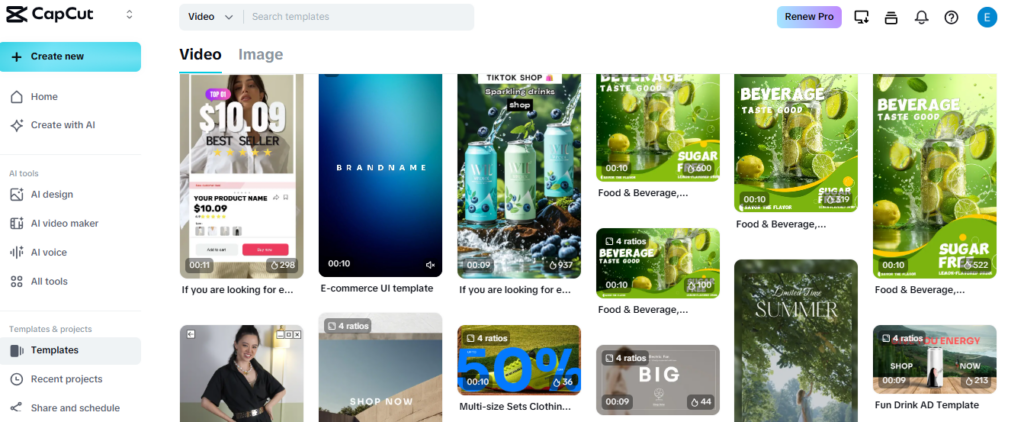
Yes, you can use many CapCut templates without TikTok.
But some template workflows may still connect back to TikTok, especially when the template comes from a TikTok video, trend, creator page, or shared TikTok link.
If a template opens directly inside CapCut and does not ask for TikTok access, you can usually edit it and export the finished video from CapCut itself.
TikTok is not required for every CapCut template, but TikTok-linked templates may work smoother when both apps are connected.
Templates may involve TikTok when:
- The template link comes from TikTok
- You want to use a TikTok trend sound directly
- You want to post the finished edit straight to TikTok
- The template is tied to a TikTok creator workflow
- You originally opened the template through TikTok
If templates are a big part of your editing workflow, you can save time by exploring the best CapCut templates for edits instead of relying only on TikTok trends.
Can You Export CapCut Videos Without TikTok?
Yes, you can export CapCut videos without TikTok.
You do not have to post directly to TikTok after editing. You can save the finished video to your phone, computer, gallery, downloads folder, or camera roll, then upload it wherever you want.
This is helpful if you make videos for Instagram Reels, YouTube Shorts, Facebook, WhatsApp, websites, clients, school, or personal use.
CapCut can be used as a general video editor, not just a TikTok editing tool.
Where can you use exported CapCut videos:
- Instagram Reels
- YouTube Shorts
- Facebook Reels
- WhatsApp Status
- LinkedIn posts
- Client projects
- School or personal videos
- Your phone gallery or computer folder
If you are editing mainly for Instagram, learning how to use CapCut for Instagram Reels may be more useful than building your workflow around TikTok.
Can You Use CapCut Sounds Without TikTok?
You can use audio in CapCut without TikTok, but TikTok sounds are a different story.
CapCut may let you add music, sound effects, voiceovers, imported audio, and some in-app audio options without connecting TikTok. But if you want a specific TikTok trending sound, you may need TikTok or another legal way to access that audio.
Also, do not assume every sound is safe to use everywhere.
A sound that works on TikTok may not be cleared for YouTube, Instagram, ads, business videos, or client projects. This matters even more if you are creating content for a brand, monetized channel, or paid campaign.
Safer audio options without TikTok
- Use your own recorded voiceover
- Import music you have permission to use
- Use royalty-free or licensed music
- Use CapCut’s available in-app sounds carefully
- Check each platform’s music rules before posting
If music rights matter for your content, check whether CapCut music is copyright free before publishing.
Can You Use CapCut for Instagram or YouTube Without TikTok?
Yes, you can use CapCut for Instagram, YouTube, Facebook, and other platforms without TikTok.
CapCut is a video editor, not just a TikTok tool. You can edit a video, export it to your device, and upload it to whichever platform you want.
This is one reason many creators use CapCut even when they do not post on TikTok at all.
If your goal is Instagram, YouTube, clients, school, or personal videos, TikTok does not need to be part of the workflow.
Use CapCut without TikTok for:
- YouTube Shorts
- YouTube videos
- Instagram Reels
- Facebook Reels
- Pinterest videos
- Business videos
- Client content
- Personal edits
If YouTube is your main platform, learning how to use CapCut for YouTube can help you plan your edits better.
What Happens If You Disconnect TikTok From CapCut?
If you disconnect TikTok from CapCut, basic editing should still work, but TikTok-connected features may change.
You may lose the smoother path for TikTok login, TikTok sharing, trend-based templates, TikTok sounds, or features that depend on that account connection.
The biggest thing to watch is account access. If your CapCut account was created with TikTok, disconnecting TikTok or losing access to that TikTok account can make login more confusing later.
Before disconnecting TikTok, make sure you know how you normally sign into CapCut.
Before disconnecting TikTok, check this:
- Know which login method you use for CapCut
- Make sure you can still access your CapCut account
- Export important finished videos
- Check whether drafts are local or cloud-synced
- Save any TikTok-related template or sound details you may need
If your drafts matter, do not make account changes blindly. Saved drafts and backed-up projects are not always the same thing, so it helps to understand how CapCut autosave works before changing accounts or disconnecting anything.
Should You Link TikTok to CapCut?
You should link TikTok to CapCut if TikTok is a major part of your editing and posting workflow.
If you create TikTok videos often, linking both apps can make sign-in, sharing, templates, trend-based editing, and posting feel smoother.
But if you mostly edit for YouTube, Instagram, clients, school, or personal projects, you may not need TikTok at all.
Link TikTok if it makes your workflow easier. Skip it if you only need CapCut as a general video editor.
Link TikTok if:
- You post on TikTok often
- You use TikTok-linked templates
- You want faster sharing to TikTok
- You signed into CapCut with TikTok before
- You build edits around TikTok trends
You can skip TikTok if:
- You only need basic editing
- You post mainly on Instagram or YouTube
- You prefer Google, email, Apple ID, or Facebook login
- You do not use TikTok sounds or trend templates
- You export videos manually to your device
Quick Checklist: Using CapCut Without TikTok
Before using CapCut without TikTok, keep these points in mind.
- You can usually edit basic videos without TikTok
- You can sign in with other login methods, depending on your device
- You can export videos and post them on other platforms
- Some TikTok-linked templates or sounds may work better with TikTok connected
- If you created your CapCut account with TikTok, use that same login method later
- Back up important drafts before changing account settings
This keeps your workflow simple and helps you avoid account confusion later.
Frequently Asked Questions
Can you use CapCut without TikTok?
Yes, you can use CapCut without TikTok for basic editing, exporting, and posting videos to other platforms. TikTok is mainly useful for TikTok login, direct sharing, trends, sounds, and some template workflows.
Do I need a TikTok account to use CapCut?
No, you do not always need a TikTok account to use CapCut. Depending on your device and region, you may be able to sign in with Google, email, Apple ID, Facebook, QR code, or another available login method.
Can I use CapCut templates without TikTok?
Yes, many CapCut templates can be used without TikTok. However, templates shared through TikTok, trend sounds, or TikTok creator workflows may work better when TikTok is connected.
Can I export CapCut videos without TikTok?
Yes, you can export CapCut videos without TikTok. Save the finished video to your phone, computer, gallery, or downloads folder, then upload it to Instagram, YouTube, Facebook, WhatsApp, or another platform.
Why is CapCut asking me to log in with TikTok?
CapCut may show TikTok login because TikTok is one of its available sign-in options, or because you used TikTok to create your CapCut account before. If you prefer not to use TikTok, check whether another login option is available.
Final Thoughts
You can use CapCut without TikTok for most basic editing tasks.
TikTok can be helpful if you post there often, use TikTok-linked templates, want direct sharing, or have created your CapCut account with TikTok. But it is not required for everyone.
If you edit for YouTube, Instagram, Facebook, clients, school, or personal videos, CapCut can still work perfectly well without TikTok.
The main thing to be careful with is the login. Use the same sign-in method every time, especially if your drafts, Pro access, or projects are tied to a specific account.
For simple editing, TikTok is optional. For TikTok-based workflows, linking both apps can make things smoother.
