

Have you ever paused before uploading a private video to CapCut and thought, “Is this actually safe?”
Fair question.
CapCut is popular because it makes editing fast and beginner-friendly.
But because it asks for media permissions, offers cloud and account features, and is owned by ByteDance, it also raises real privacy questions for some users.
That does not mean you need to panic-delete the app.
It just means you should know what you are giving CapCut access to, where you download it from, and what kind of videos you should avoid uploading before you use it heavily.
Table of Contents
- Is CapCut Safe to Use?
- Who Owns CapCut?
- What Data Can CapCut Collect?
- What Permissions Does CapCut Need?
- Is CapCut Safe to Download?
- Is CapCut Safe for Privacy?
- Is CapCut Safe for Kids?
- Is CapCut Safe for Business or Client Videos?
- Is CapCut Safe From Malware?
- Is CapCut Safe to Use Without an Account?
- When You Should Be Extra Careful With CapCut
- Frequently Asked Questions
- Final Thoughts
Is CapCut Safe to Use?
Yes, CapCut is generally safe for normal video editing when downloaded from official sources like the App Store, Google Play, Microsoft Store, or CapCut’s official website.
The bigger concerns are not usually about the basic editing tools. The concerns are about privacy, data collection, app permissions, account security, unofficial APK downloads, and how much personal content you upload or store in the app.
CapCut’s official Privacy Policy says its services are provided and controlled by ByteDance Pte. Ltd. It also explains that CapCut collects and processes personal information when people use the mobile app, desktop app, and web version.
Quick safety rule
- Use the official app only.
- Give CapCut the fewest permissions you need.
- Keep sensitive videos out of cloud or account-based features.
- Avoid cracked Pro APKs. Protect the account you use to sign in.
Who Owns CapCut?
CapCut is owned by ByteDance, the company also known for TikTok.
This is one reason CapCut gets more privacy questions than many smaller editing apps. Some users are comfortable with that.
Others are cautious because ByteDance apps have received attention from lawmakers, privacy reviewers, and security experts in different countries.
That does not mean CapCut is automatically dangerous. It means users should be aware of who controls the service and make smart privacy choices.
CapCut ownership matters because it affects how users think about data, privacy policies, account linking, platform connections, and government or workplace rules.
If you work for a company, school, agency, or government-related organization, check your internal rules before using CapCut for sensitive projects.
Does CapCut Own Your Videos or Content?
No. CapCut says it does not own your videos, photos, or other content simply because you edit them in the app.
Its Terms of Service state that users retain ownership of their User Content. However, when content is submitted through CapCut services, users may grant CapCut a broad license that allows the company and related parties to store, process, distribute, modify, display, and use that content as described in the Terms.
This distinction is important. Ownership and licensing are not the same thing. You may still own the copyright to your content while also granting CapCut certain rights needed to operate its services and platform features.
If you work with sensitive personal footage, client projects, confidential business material, or unpublished content, review the latest Terms of Service before uploading files to cloud-based features.
What Data Can CapCut Collect?
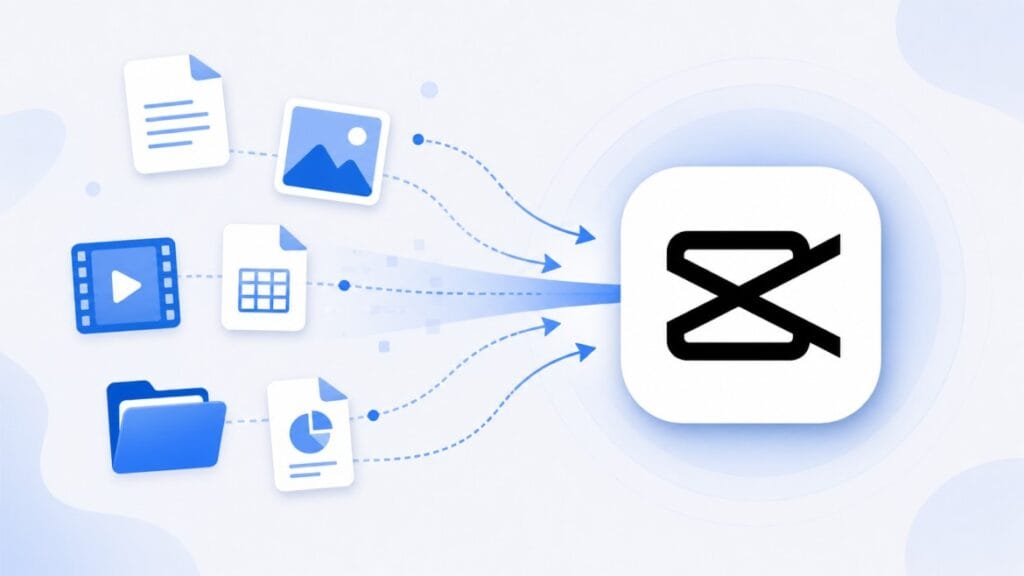
CapCut can collect different types of data depending on how you use the app, whether you sign in, which features you use, and what permissions you allow.
According to CapCut’s Privacy Policy, this can include information connected to the mobile app, desktop app, web version, and related services.
CapCut may collect:
- Account information, such as your login details and profile information
- User content, such as videos, photos, audio, files, prompts, templates, and projects you upload or edit
- Device, browser, and network information, such as IP address, device model, operating system, app version, language, region, and network type
- Usage activity, such as what features you use, what content you view, and how often you use the app
- Payment or subscription information if you buy CapCut Pro, cloud space, or other paid features
- Crash reports, performance logs, and diagnostic data
- Approximate location based on things like IP address or SIM card region
- Information from connected accounts if you sign in with a third-party platform
This does not mean CapCut is secretly reading everything on your phone.
But it does mean you should be careful about what you upload, especially if the video includes private documents, home addresses, children’s faces, client files, business secrets, IDs, or anything sensitive.
The safest habit is simple: do not upload anything to CapCut that you would not be comfortable storing in an online editing app.
Does CapCut Keep Your Videos and Photos?
CapCut may store videos, photos, project files, templates, and related content depending on how you use the platform.
If you use cloud-based features, account syncing, online templates, or upload content to CapCut services, some files may be stored on CapCut servers to provide those features.
That does not mean every photo or video on your device is automatically uploaded. In most cases, CapCut only processes content that you choose to import, edit, save, sync, or upload through its services.
If privacy is a concern, avoid uploading sensitive files and periodically review any cloud-stored projects associated with your account.
Does CapCut Track You or Collect Personal Information?
Like many modern apps, CapCut collects certain information about devices, app activity, network connections, and account usage to provide its services and improve performance.
This does not mean CapCut is secretly watching everything you do. However, it may collect information such as device details, app usage data, approximate location information, diagnostic reports, and account-related information depending on your settings and how you use the platform.
The amount of information collected can vary based on permissions, connected accounts, subscriptions, and whether you use cloud-based features.
If you want to reduce data collection, review your device permissions, disable features you do not use, and regularly check your privacy settings.
What Permissions Does CapCut Need?
CapCut may ask for permissions like photos, videos, microphone, camera, storage, and notifications.
Some permissions make sense. If you want to import videos from your phone, CapCut needs access to your media. If you want to record a voiceover, it needs microphone access. If you want to record inside the app, it may need camera access.
But you do not have to give every permission forever.
Common CapCut permissions
- Photos or media: Needed to import videos and images.
- Microphone: Needed for voiceovers or recording audio.
- Camera: Needed if you record directly in the app.
- Storage: Needed for saving, importing, or exporting files on some devices.
- Notifications: Optional for most users.
If you only edit existing videos, you may not need to allow camera access. If you never record voiceovers, you may not need microphone access. Keep permissions as limited as your workflow allows.
Why Does CapCut Want Access to Your Photos?
CapCut asks for photo and media access so it can import videos, images, and other files that you want to edit.
Without access to your media library, CapCut may not be able to locate content stored on your device or save completed projects properly.
On many modern devices, you can choose limited photo access instead of giving the app access to your entire library. This allows you to select only the photos and videos you want CapCut to use.
If you only edit specific files, limiting photo access can provide additional privacy while still allowing the app to function normally.
Why Does CapCut Ask for Location Access?
Some users notice location-related permissions and wonder why a video editor would need them.
Location information may be used for regional features, language settings, content recommendations, analytics, security systems, or compliance requirements in different countries.
For most users, location access is not required for basic video editing. If you are uncomfortable sharing location information, you can review and manage these permissions through your device settings.
Is CapCut Safe to Download?
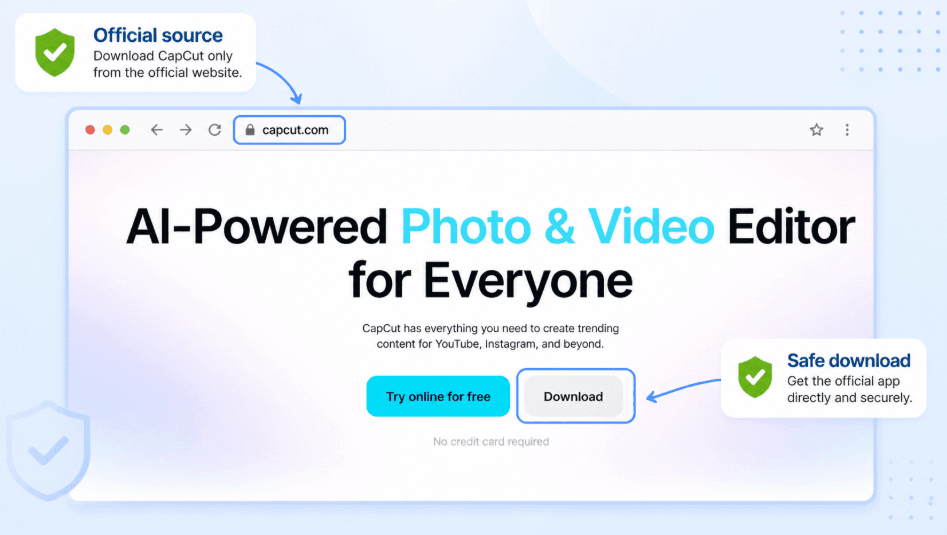
CapCut is safest to download from official sources.
Use the Apple App Store, Google Play Store, Microsoft Store, or CapCut’s official website. These sources are not perfect, but they are much safer than random APK sites, cracked Pro downloads, or modified installers.
The risky version is usually not the official CapCut app. The risky version is the fake “CapCut Pro APK” or modified app that promises paid features for free.
Avoid unofficial downloads because they may:
- Contain malware or spyware
- Steal login details
- Break CapCut features
- Fail to update safely
- Expose your videos or account
- Violate CapCut’s terms
If you need CapCut on a new device, use this guide on how to download CapCut on any device so you can avoid unsafe sources.
Is CapCut Safe for Privacy?
CapCut can be used safely, but privacy-conscious users should be careful.
Like many free editing apps, CapCut may collect personal information, usage data, device information, and content-related data depending on how the app is used.
Its Trust Center says CapCut uses safeguards such as encryption, secure servers, and security audits to help protect personal data.
Still, privacy is not only about whether a company has security measures. It is also about what you choose to upload, what permissions you allow, and whether you connect your account to other platforms.
To improve privacy, you can:
- Use the official app only.
- Limit photo access where your device allows it.
- Turn off microphone or camera access when not needed.
- Avoid uploading sensitive videos or documents.
- Use a strong login method.
- Be careful when linking TikTok or other accounts.
- Review privacy settings inside CapCut and on your device.
If you do not want to connect TikTok, this guide on using CapCut without TikTok explains what still works without linking both apps.
Does CapCut Make Your Videos Public?
No. CapCut does not automatically publish your videos to the internet simply because you edit them.
Most projects remain private unless you choose to share, upload, publish, sync, or distribute them through CapCut services or connected platforms.
Users generally control when and where finished videos are exported or posted. However, if you use community, template-sharing, cloud, or social features, you should review the visibility settings associated with those features.
Before sharing content, verify whether a project is private, shared with collaborators, or available through public features.
Is CapCut Safe for Kids?
CapCut can be safe for older kids and teens with supervision, but parents should pay attention to privacy, screen time, online features, templates, comments, sharing, and connected accounts.
The editing tools themselves are not the only concern. Kids may upload personal videos, use trend templates, connect to TikTok, save videos with faces or locations, or share content without thinking about privacy.
If a child uses CapCut, it is smart to keep the workflow simple and private.
Is CapCut Kid-Friendly? What the Age Rating Actually Says
CapCut’s Terms of Service require users to be at least 13 years old with parental consent. App store age ratings vary slightly by platform and region, and typically fall around 12+ on the Apple App Store, with some listings noting infrequent mild mature or suggestive content.
In practice, CapCut does not verify a user’s age when they sign up. A child can enter any birthdate, and younger kids can also browse templates and do basic editing without creating an account at all. So the age rating is a guideline, not a barrier — enforcement falls entirely on parents and device settings.
This means CapCut is best treated as an app for teens with supervision rather than a kid-friendly app for young children, regardless of what the storefront rating shows.
Templates, Trends, and Content Appropriateness
CapCut’s Templates feed works similarly to a social media “For You” page — it surfaces trending, algorithm-recommended templates rather than a fixed, curated list.
Because templates are user-submitted and only lightly moderated before approval, some can include mature language, suggestive themes, or content that isn’t appropriate for younger users, even though CapCut’s guidelines prohibit this in principle.
Beauty and retouching tools are another consideration worth knowing about specifically. CapCut includes face-smoothing, reshaping, and similar filters.
For younger users still developing body image and self-confidence, easy access to these effects can encourage an unhealthy focus on “fixing” how they look in every video.
If your child uses CapCut, it’s worth briefly previewing the templates they gravitate toward rather than assuming every trending template is appropriate for their age.
Comments, Stranger Contact, and Social Exposure
CapCut does not offer private direct messaging between users, which is a meaningful safety difference from a full social media app.
However, public templates do have comment sections, and anyone — including strangers — can comment on or interact with a public template your child has used or published.
The bigger exposure risk usually isn’t inside CapCut itself — it’s what happens after export. If a child’s CapCut account is linked to a public TikTok, Instagram, or YouTube account, comments and contact attempts move to those platforms instead, where the safety controls are different from CapCut’s.
CapCut Has No Built-In Parental Controls
Unlike TikTok, CapCut does not offer built-in parental controls, linked family pairing, or content filtering based on age. There is no way to restrict what templates, music, or effects a child can see inside the app itself.
This means any limits have to come from outside the app — through device-level screen time controls, app restrictions, or simply supervising how the app is used.
Parents should check:
- Whether the child is signed into an account, and what birthdate was entered
- What videos and photos CapCut can access
- Whether TikTok or other accounts are connected
- Whether the child is posting videos publicly, and on which platform
- What templates, music, or trends they are using
- Whether location, school, address, or private details appear in videos
- Whether they’re relying heavily on beauty/retouch filters
A good rule is to let kids edit videos they can safely keep private. Be more careful when videos include faces, uniforms, addresses, school names, or personal information — and treat CapCut as an app to use together with a younger teen rather than hand over unsupervised.
Is CapCut Safe for Business or Client Videos?
CapCut can be used for business or client videos, but sensitive projects need extra care.
If you are editing public social media clips, product demos, short ads, or basic brand content, CapCut may be fine. But if the project includes confidential files, unreleased products, customer data, private meetings, contracts, IDs, or internal company footage, think carefully before uploading or syncing anything online.
Business safety is not only about malware. It is also about privacy, file control, permissions, and where project data may be stored.
For business projects, be careful with:
- Confidential client footage
- Private customer information
- Unreleased product videos
- Internal company meetings
- Documents, invoices, IDs, or addresses shown in clips
- Cloud syncing on shared devices
- Logging into CapCut on public or borrowed computers
If you use CapCut for paid or branded work, also check whether your music, templates, and stock assets are allowed for that type of use. This guide on using CapCut for commercial use explains what to watch before publishing business videos.
Is CapCut Safe From Malware?
The official CapCut app is much safer than cracked, modified, or unofficial downloads.
Most malware risk comes from fake CapCut downloads, “free CapCut Pro” APKs, shady installer sites, browser pop-ups, and unofficial app stores. These can hide spyware, adware, password stealers, or broken app files.
If you want to stay safe, download CapCut only from trusted sources.
Red flags to avoid
- Websites offering “CapCut Pro APK free”
- Downloads that ask you to disable device security
- Installers from random file-sharing sites
- Apps with misspelled names or strange icons
- Browser pop-ups claiming you need a special CapCut update
- Modified versions that promise unlocked premium features
If a site promises paid CapCut features for free, treat it as risky. Saving money is not worth losing your account, files, or device security.
Is CapCut Safe to Use Without an Account?
Using CapCut without an account can reduce some account-linking concerns, but it does not remove every privacy issue.
You may still give the app access to videos, photos, storage, microphone, or camera. You may also lose some protection from account-based features like cloud sync, cross-device access, and subscription management.
So using CapCut without an account can be fine for quick local edits, but it is not always better for serious projects.
Using CapCut without an account may help if:
- You only need a quick edit.
- You do not want to connect TikTok, Google, or Apple ID.
- You plan to export the video immediately.
- You do not need cloud syncing.
- You do not care about Pro features.
But if your drafts matter, remember that local projects may be harder to recover if something goes wrong. This guide on using CapCut without an account explains the trade-offs.
When You Should Be Extra Careful With CapCut
CapCut is fine for many everyday edits, but it may not be the best place for every video.
Be extra careful if you are editing legal, medical, financial, government, school, or confidential business footage.
Some workplaces also have strict rules about which apps can be used for company files.
You should also avoid CapCut if you cannot download it from an official source or if your device policy blocks ByteDance apps.
Before using CapCut for sensitive projects, check this:
- Did you download CapCut from an official source?
- Have you limited permissions where possible?
- Are you avoiding private documents, IDs, addresses, or client files?
- Do you know whether the project is saved locally or in the cloud?
- Are you signed out on shared or public devices?
- Are you following your workplace, school, or client privacy rules?
- Are your music, templates, and stock assets safe for your intended use?
For everyday social videos, CapCut may be fine. For sensitive work, caution is the better move.
Frequently Asked Questions
Is CapCut safe to use?
Yes, CapCut is generally safe to use when downloaded from official sources such as the App Store, Google Play Store, Microsoft Store, or CapCut’s official website. Most safety concerns involve privacy settings, permissions, account security, and unofficial downloads rather than the editing tools themselves.
Does CapCut own your videos?
No. CapCut states that users retain ownership of their content. However, its Terms of Service may grant CapCut certain rights to store, process, display, distribute, or otherwise use content submitted through its services. Ownership and licensing are not the same thing, so it is important to review the latest Terms before uploading sensitive content.
Does CapCut use your videos for AI?
CapCut offers AI-powered features such as automatic captions, video enhancement, background removal, and other AI-assisted tools. How content is processed depends on the feature being used and CapCut’s current policies. Users concerned about AI-related processing should review CapCut’s latest Privacy Policy and Terms of Service before uploading sensitive videos.
Is CapCut owned by TikTok?
CapCut and TikTok are both owned by ByteDance. While the two platforms are separate products, they share the same parent company, which is one reason some users pay close attention to privacy and data-handling policies.
Is CapCut safe for kids?
CapCut can be safe for older kids and teens with supervision. Parents should monitor privacy settings, account connections, media access, public sharing options, and the type of content children upload or create.
Is CapCut Pro APK safe?
No. Unofficial CapCut Pro APKs and modified versions can contain malware, spyware, or security risks. They may also expose your account, videos, or personal information. Download CapCut only from official sources.
Final Thoughts
CapCut is generally safe for normal video editing when you download the official app and use sensible privacy habits.
The main risks come from unnecessary permissions, sensitive uploads, weak account security, connected accounts, and unofficial downloads that promise free Pro features.
Use CapCut for everyday edits, social videos, and basic content creation if it fits your needs. Just be careful with private footage, business files, children’s content, and anything you would not want stored or shared outside your control.
