

You open CapCut after an update, or after reinstalling it on your phone, and your project list is empty. Or maybe you’re staring at an update prompt right now, too scared to tap it in case it wipes everything you’ve been working on.
Either way, the fear is the same: did CapCut just delete hours of editing, or is the project still in there somewhere?
The honest answer is “it depends on where your projects actually live” — and that’s exactly what this guide walks through, question by question.
Table of Contents
- What Happens If You Update CapCut? Will You Lose Your Projects?
- Will I Lose My Projects If I Reinstall CapCut?
- Where Do Deleted CapCut Projects Go? (The Trash Folder)
- How Do I Go Back to Old CapCut Safely?
- How to Recover Lost Projects on CapCut?
- Why Did CapCut Suddenly Delete All My Projects?
- What Happened to All My CapCut Videos?
- Will I Lose Everything If I Delete My CapCut Account?
- Does Updating CapCut Affect CapCut Pro Subscription?
- Frequently Asked Questions
- Final Thoughs
What Happens If You Update CapCut? Will You Lose Your Projects?
Updating CapCut does not delete your existing projects. A standard app update preserves your drafts, project files, and saved edits, so you can continue working where you left off after installing the latest version.
Keeping CapCut updated also gives you access to new features, bug fixes, performance improvements, and compatibility updates.
In short, updating CapCut is generally safe for your projects. As long as you’re simply installing an app update, not removing the app or clearing its data, your existing projects should remain intact.
What Happens If You Don’t Update CapCut?
Nothing happens to your existing projects if you skip a CapCut update. CapCut doesn’t punish you for staying on an older version, and your drafts won’t disappear just because a new version is available.
What you will run into eventually is compatibility friction: newer AI effects, templates, or export presets sometimes require the current app version to work properly.
If you try to open a project that uses a feature your older version doesn’t support yet, CapCut may flag it or load it with that effect missing. For day-to-day editing, though, an outdated version keeps working exactly as it did before.
Will I Lose My Projects If I Reinstall CapCut?
This is the one that actually matters, and the answer depends on where your projects were stored before you deleted the app:
- If you were signed into a CapCut account, most of your cloud-synced projects, templates, and draft thumbnails will reappear once you reinstall and log back in.
- If you were editing as a guest, or your projects never finished syncing, reinstalling wipes the local project cache — and since nothing was backed up, those edits are gone for good.
This is the core reason CapCut pushes account sign-in so hard during onboarding: it’s the only thing standing between “reinstall and pick up where you left off” and “reinstall and start over.” If you haven’t already, this is worth checking before you uninstall anything, not after.
Where Do Deleted CapCut Projects Go? (The Trash Folder)
Before assuming a project is gone for good, check CapCut’s built-in Trash — it holds deleted projects for 7 to 30 days before they’re permanently removed.
- On mobile: open CapCut, go to Library > More > Trash.
- On desktop (Windows/Mac): open CapCut, go to Home > Trash.
This is different from your phone’s own “Recently Deleted” photo/file folder — CapCut’s Trash is a separate, in-app location specifically for project files.
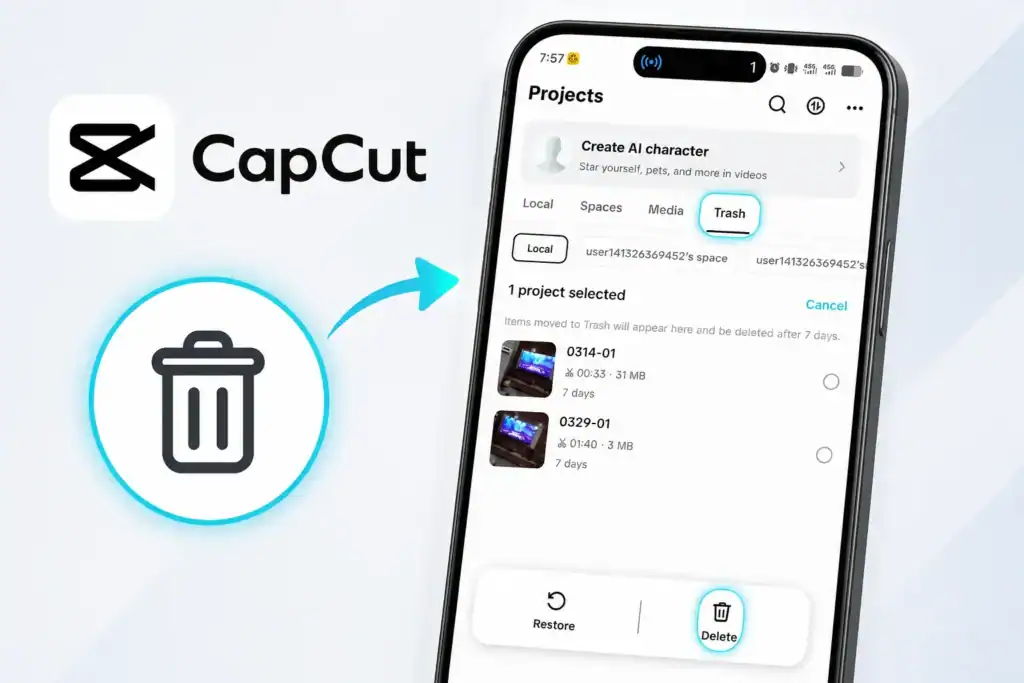
If a project just disappeared rather than being intentionally deleted, this is the first place to check.
How Do I Go Back to Old CapCut Safely?
If a recent CapCut update changed something you don’t like a moved button, a redesigned export screen, a feature that now behaves differently you can’t officially roll back to an older version through the app itself; CapCut always pushes you to the current release.
On Android, some users sideload an older APK from a trusted archive to temporarily revert, though this comes with real downsides: no security patches, possible incompatibility with your existing project files, and no support if something breaks.
On iOS, Apple doesn’t allow downgrading apps at all once you’ve updated.
In practice, “going back” isn’t really sustainable it’s worth troubleshooting the specific issue with the current version instead of trying to dodge updates long-term.
If you do decide to revert to an older version, follow our guide on where to download old versions of CapCut Pro APK safely, including what to watch out for before installing an older release.
Will Older CapCut Versions Still Work?
For a while, yes. CapCut doesn’t cut off older app versions overnight. But over time, two things start to break that compatibility: server-side changes to how projects sync and render, and newer effects or export formats that older app builds simply don’t recognize.
The CapCut official Help Center confirms that older versions can become disabled over time and that newer features like cloud sync and templates rely on updated engine components.
If you’ve run into version-related glitches, freezes, or playback issues, they often look similar to other CapCut errors covered in our common CapCut errors, crashes, and solutions guide that’s a good next stop if updating doesn’t immediately fix what you’re seeing.
How to Recover Lost Projects on CapCut?
If a project has gone missing after an update, reinstall, or app crash, don’t panic because in most cases it’s recoverable.
The fix usually comes down to one of a few things: making sure you’re signed into the right account (a logged-out or guest session will show an empty project list even though your real account still has everything), checking local/cached storage on your device, looking for auto-saved drafts from a crashed session, or confirming whether cloud sync actually finished before the app updated or crashed.
We’ve put together a full step-by-step recovery walkthrough, including exactly where to look on both Android and iOS, and how to tell if a project was synced before it was lost in our dedicated guide: How to Recover Deleted CapCut Projects.
Why Did CapCut Suddenly Delete All My Projects?
CapCut itself doesn’t proactively delete your projects as a matter of course. From the many case we have seen, when people see everything gone at once, it’s almost always one of these:
- A reinstall happened while signed out or as a guest, clearing the local cache
- A different CapCut account got signed into on the same device
- Local storage was cleared manually (or by a device cleanup app) without cloud sync finishing first
- The app data was cleared through device settings, which wipes everything CapCut had stored locally
- The project file is incompatible with a newer app version, which can cause it to fail to load or appear missing after an update
It can feel sudden and unexplained in the moment, but there’s almost always one of these underlying causes rather than a random bulk deletion on CapCut’s end.
What Happened to All My CapCut Videos?
This is worth separating from “projects”: your exported videos (the finished MP4 files) are saved to your device’s camera roll or downloads folder, completely separate from your CapCut project files (the editable timeline with all your layers, clips, and effects). Losing one doesn’t necessarily mean you lost the other.
If your exported videos are missing, check your phone’s gallery app, the specific CapCut export folder, or any cloud photo backup you have running (Google Photos, iCloud, etc.).
If it’s the editable project that’s missing rather than the finished export, that falls back to the recovery steps above.
Will I Lose Everything If I Delete My CapCut Account?
Yes, deleting your CapCut account is treated as a permanent action. CapCut’s own ToS states directly that once you delete your account you cannot reactivate it or retrieve any account data, content, or information.
Once it’s gone, your cloud-synced projects, saved templates, purchase history, and any CapCut Pro subscription tied to that account go with it, and CapCut can’t restore them afterward.
If you’re considering this because you actually want to step away from a paid plan rather than wipe your account, it’s worth knowing that cancelling CapCut Pro and deleting your account entirely are two different actions with very different consequences.
Our guide to cancelling your CapCut subscription walks through how to stop billing without losing your account or your projects.
Does Updating CapCut Affect CapCut Pro Subscription?
If you’re on CapCut paid plan, skipping updates doesn’t affect your billing, your subscription status, or your access to Pro features because those are tied to your account, not your app version.
The main thing to watch for is using Pro features that were added in a recent update; those obviously won’t show up until you update.
For a full breakdown of what’s actually included with Pro and whether it’s worth keeping active, see our CapCut Pro subscription review.
Frequently Asked Questions
What happens if you don’t update CapCut?
Nothing happens to your existing projects if you skip an update. CapCut doesn’t delete drafts for staying on an older version, though some newer effects, templates, or export presets may require the current app version to work properly.
What happens if I skip an update?
Skipping one update, or several, doesn’t trigger any kind of cleanup or expiration on your projects. CapCut will keep reminding you that an update is available, but it won’t force the install or touch your existing files in the meantime.
Will I lose my projects if I reinstall CapCut?
If you were signed into a CapCut account, most of your cloud-synced projects and templates will reappear once you reinstall and log back in. If you were editing as a guest, or your projects never finished syncing, reinstalling wipes the local project cache and those edits are gone for good.
How do I go back to old CapCut?
You can’t officially roll back to an older version through the app itself. On Android, some users sideload an older APK from a trusted archive, though this isn’t supported and can cause compatibility issues. On iOS, Apple doesn’t allow app downgrades at all once you’ve updated.
Does CapCut save your data?
Yes, when you’re signed into a CapCut account, your projects, templates, and account data sync to the cloud, which is what allows recovery after a reinstall or device switch.
How to recover lost projects on CapCut?
Check you’re signed into the correct account, look for auto-saved drafts, check your device’s local storage, and confirm cloud sync had finished before the project went missing.
Why did CapCut delete all my projects?
CapCut doesn’t bulk-delete projects on its own. This usually happens after a reinstall while signed out, switching accounts on the same device, or clearing local app data before cloud sync finished.
Will I lose everything if I delete my CapCut account?
Yes, deleting your CapCut account permanently removes your cloud-synced projects, templates, purchase history, and any active subscription tied to that account, with no way to restore them afterward.
Will older CapCut versions still work?
For a period of time, yes, but compatibility eventually breaks down as CapCut updates its servers and rendering engine to support newer features.
What happened to all my CapCut videos?
Exported videos are saved separately from CapCut project files, usually to your device’s camera roll or downloads folder, so a missing project doesn’t necessarily mean your exported videos are gone too.
Final Thoughs
Updates themselves are safe they don’t delete projects.
Reinstalls and account changes are where the actual risk lives, and the deciding factor every time is whether your projects had finished syncing to your account before the app was removed or the device was switched.
If you’re about to reinstall, switch phones, or do anything that touches your CapCut install, the five-minute move that saves you the most grief is simple: open the app, confirm you’re signed in, and let every project finish syncing first.
